See it in action
A picture tour of the whole platform — the same walkthrough new users get inside the app. Free to use; pricing here.
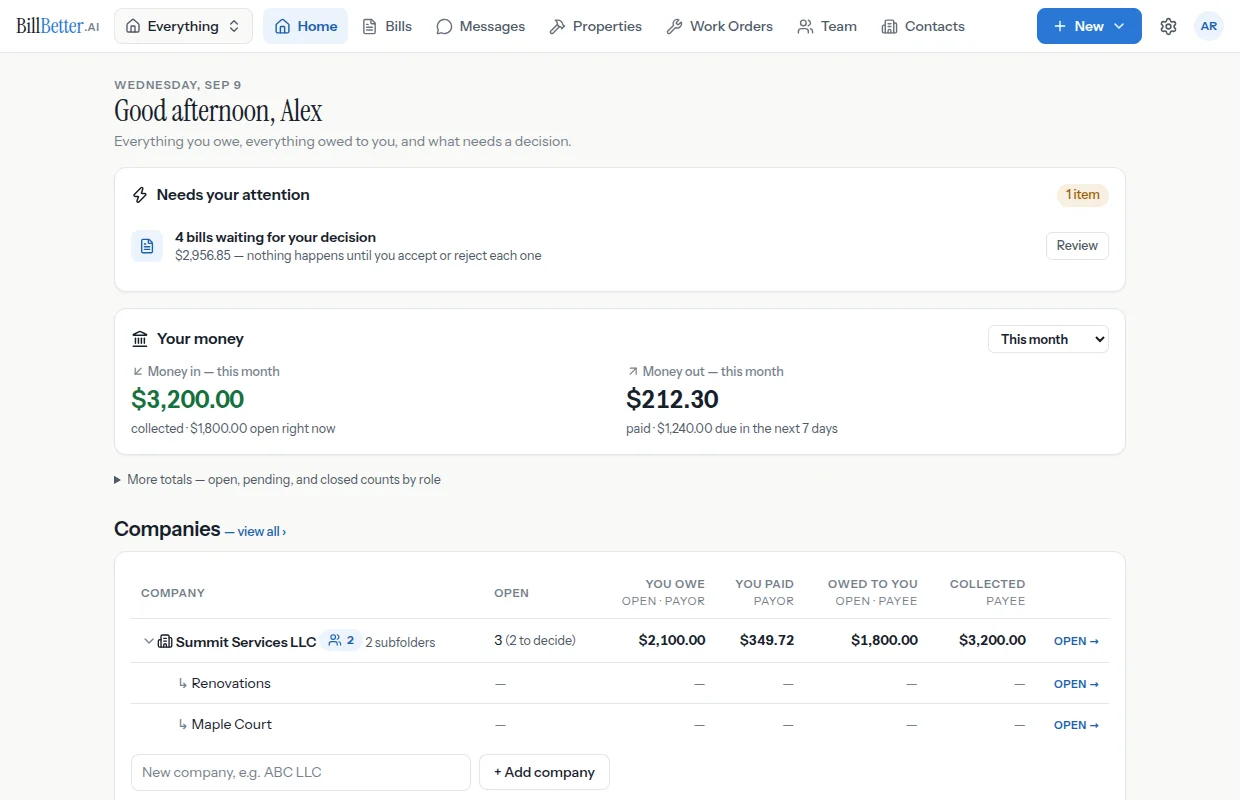
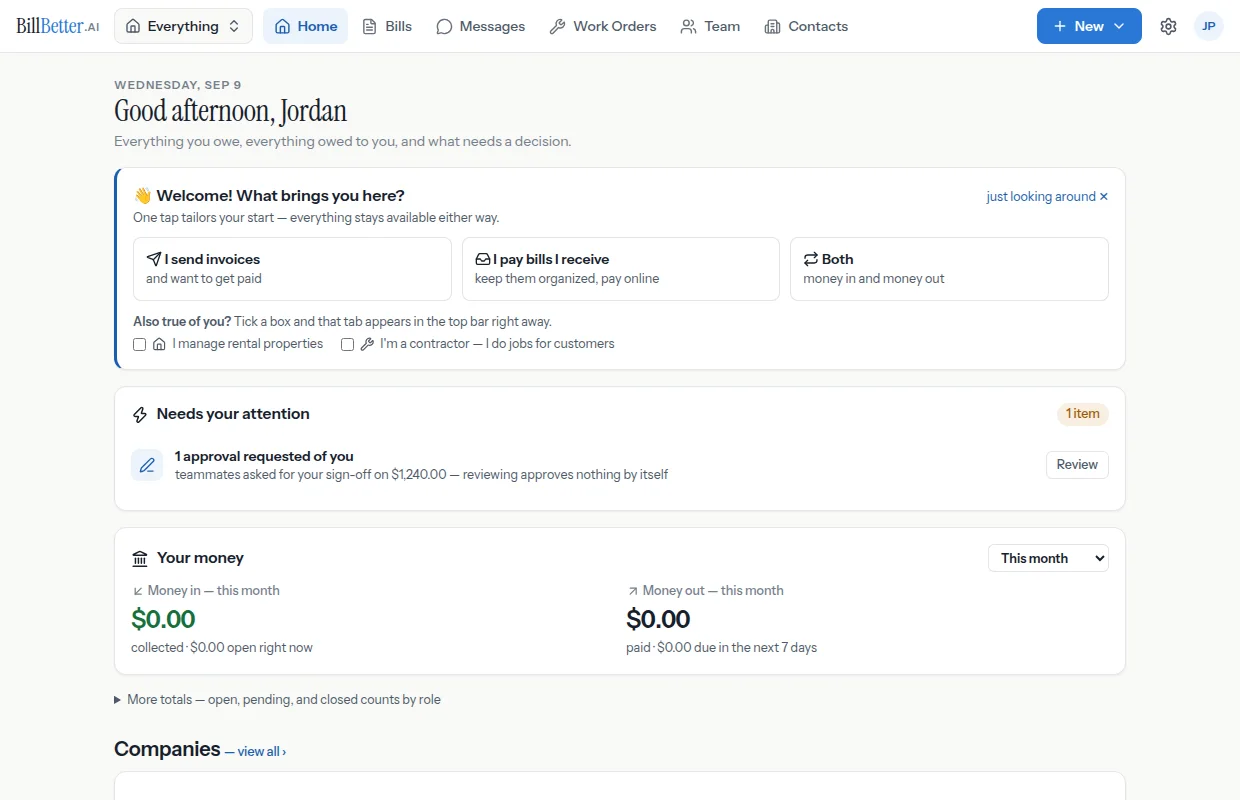
1The dashboard
Both sides of your billing at a glance — what needs your approval, what's flagged for you to pay, and totals as biller and payer.
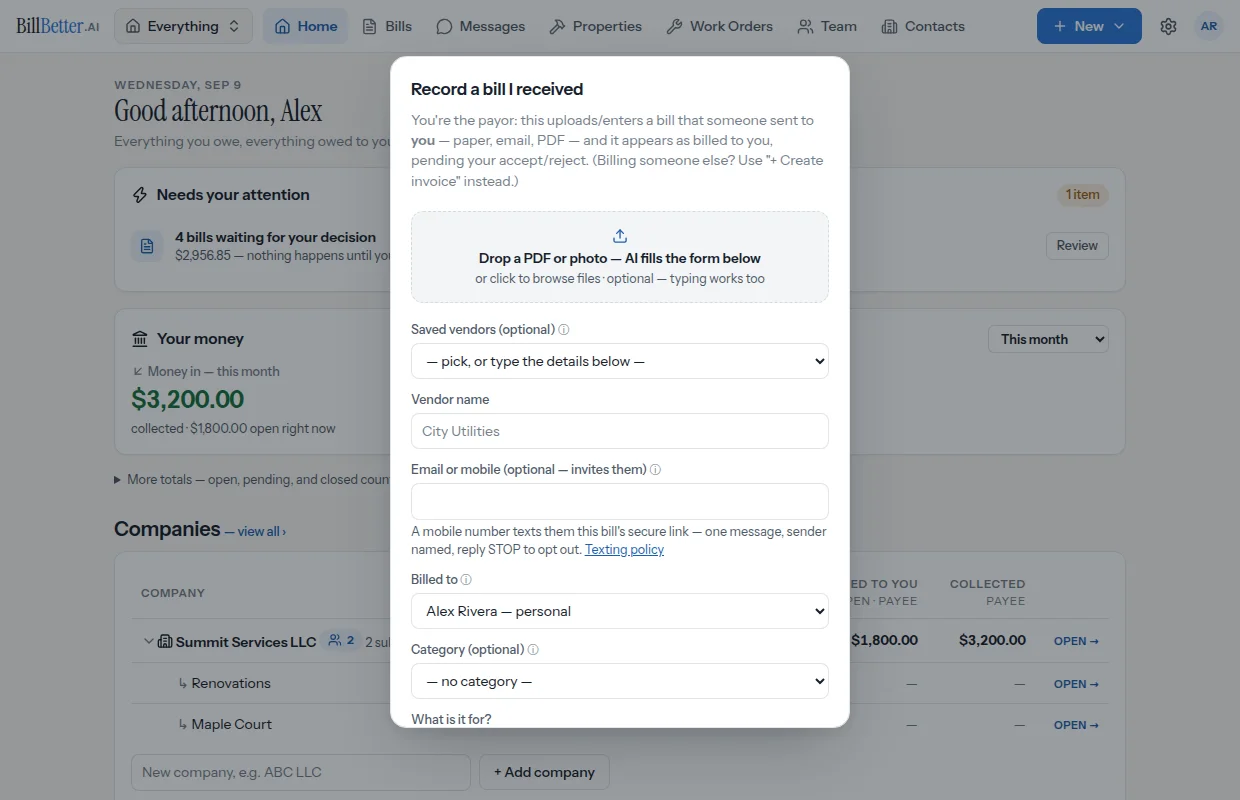
2Record a bill you received
Upload the document and AI fills in the vendor, amount, due date, and line items — file it, route approvals, even split it.
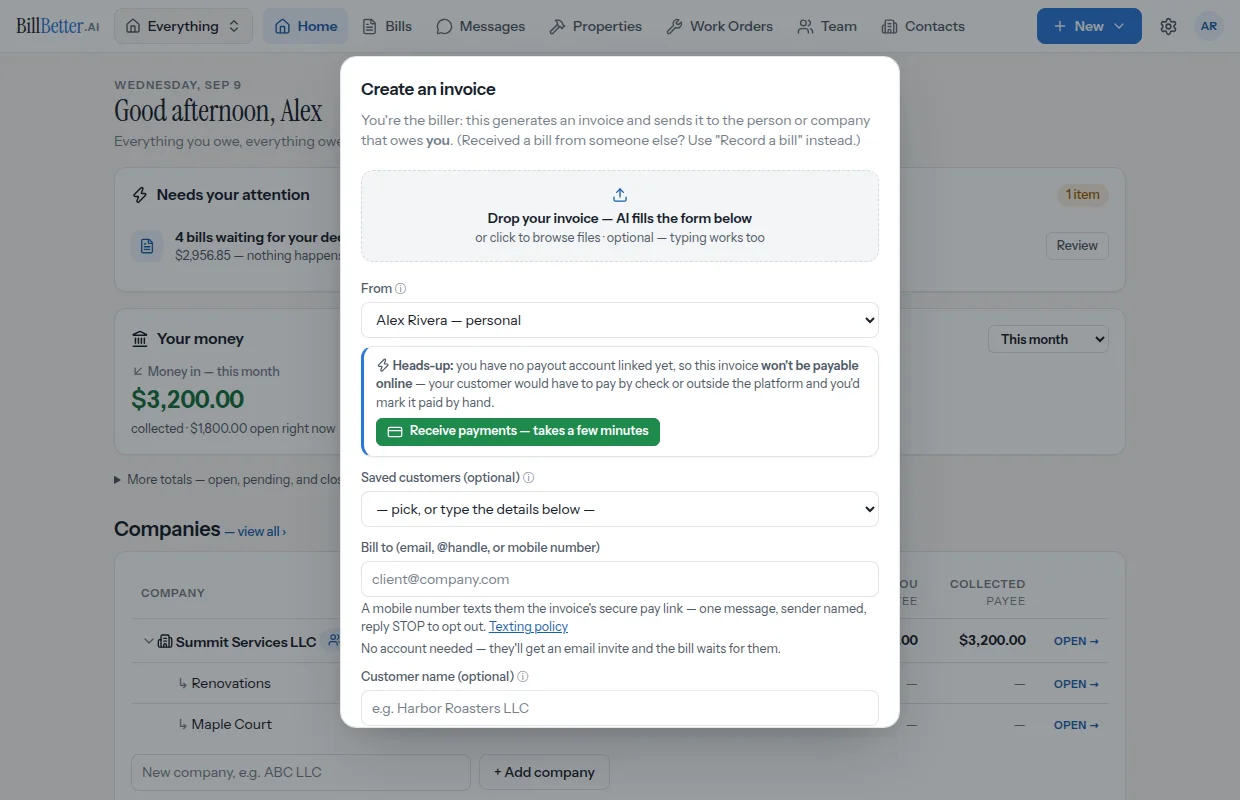
3Send an invoice
Line items, tax, recurring schedules, and company letterhead — your customer gets a payment link, no account needed.
4Act on a bill
Accept, reject, flag for payment, schedule it, or pay — every action on one screen with a full history.
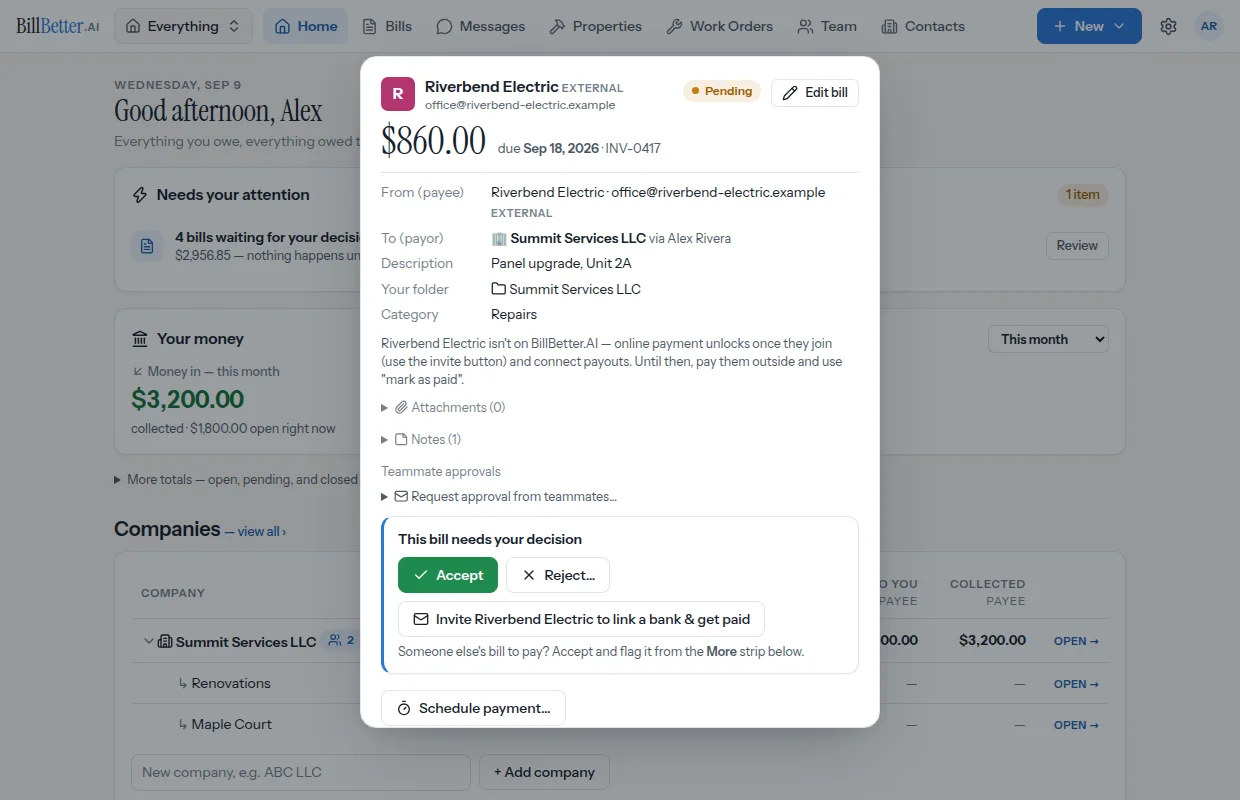
5Get paid online
Connect payouts once and invoices are payable by card or bank transfer, straight to your account.
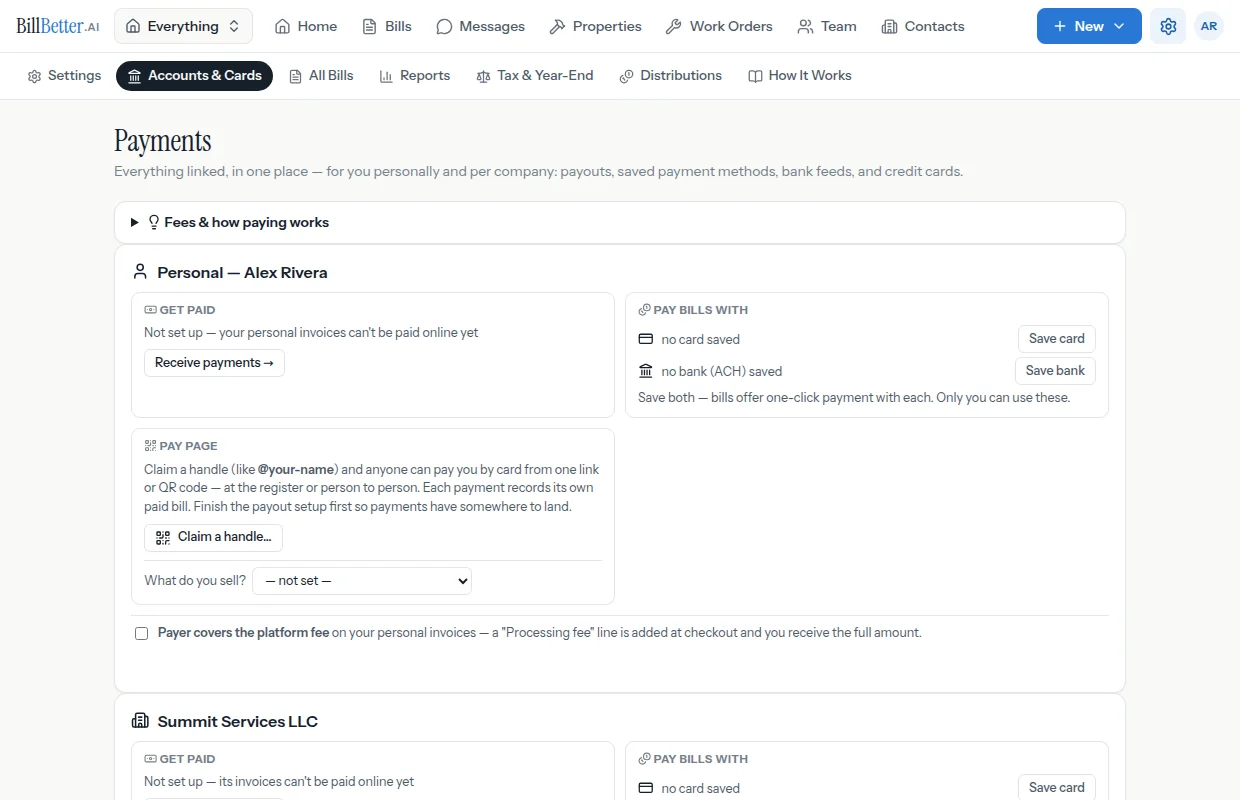
6Track every dollar
Every bill you've sent and received, filterable by folder, status, and counterparty — partial payments shown right on the row.
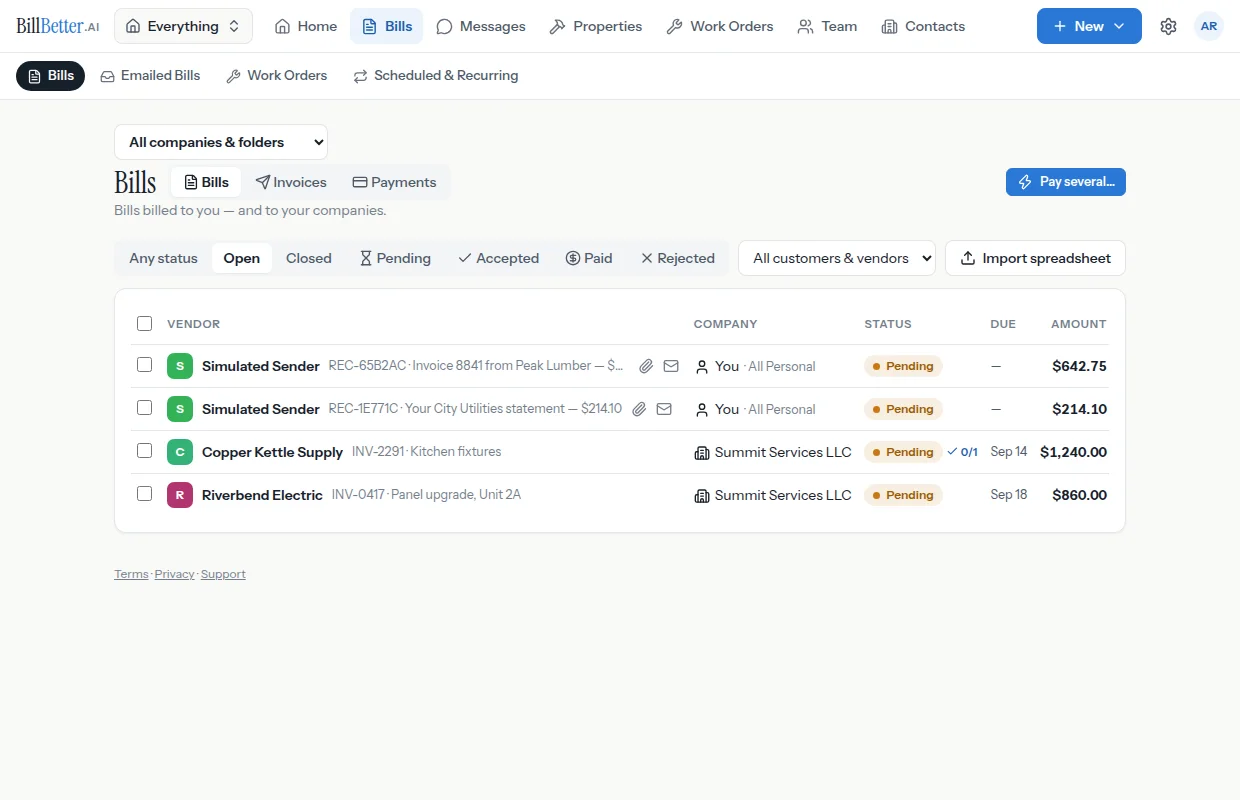
7Folders for companies and life
One folder per company, unlimited subfolders for projects, and personal folders for home bills.
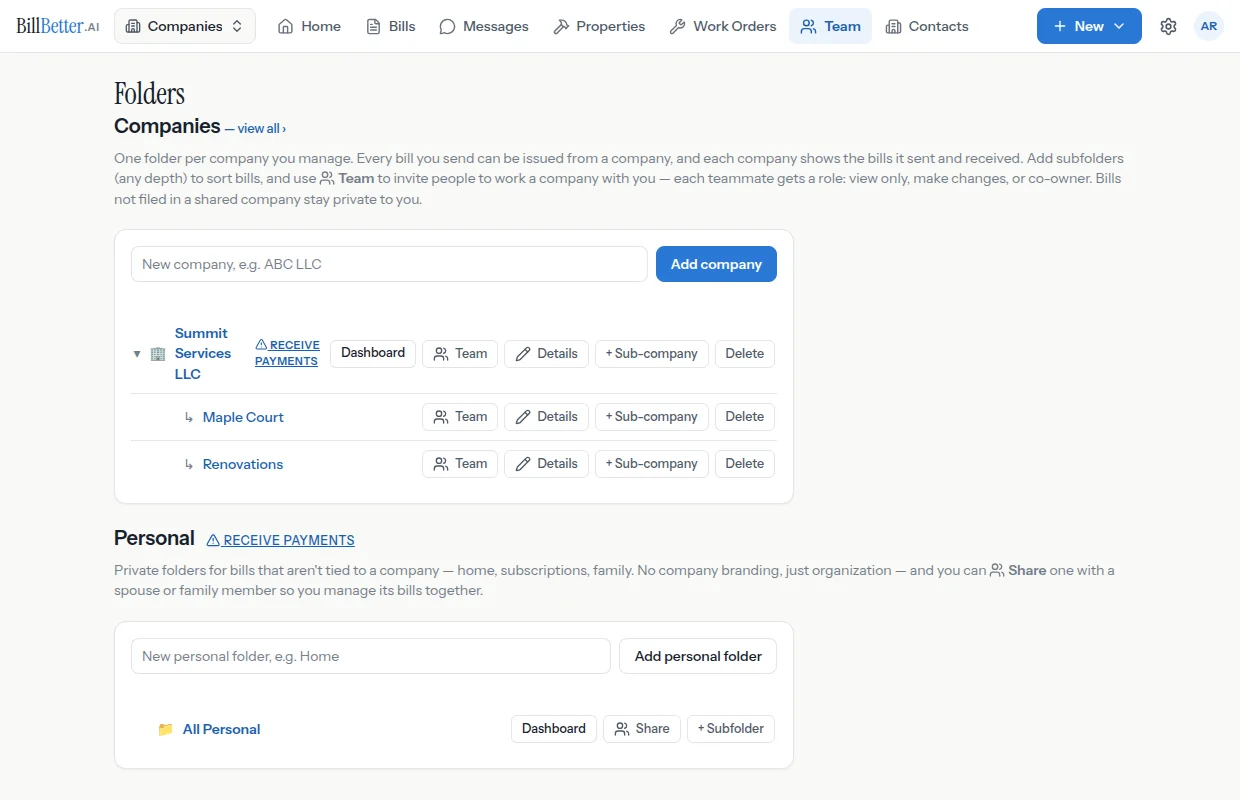
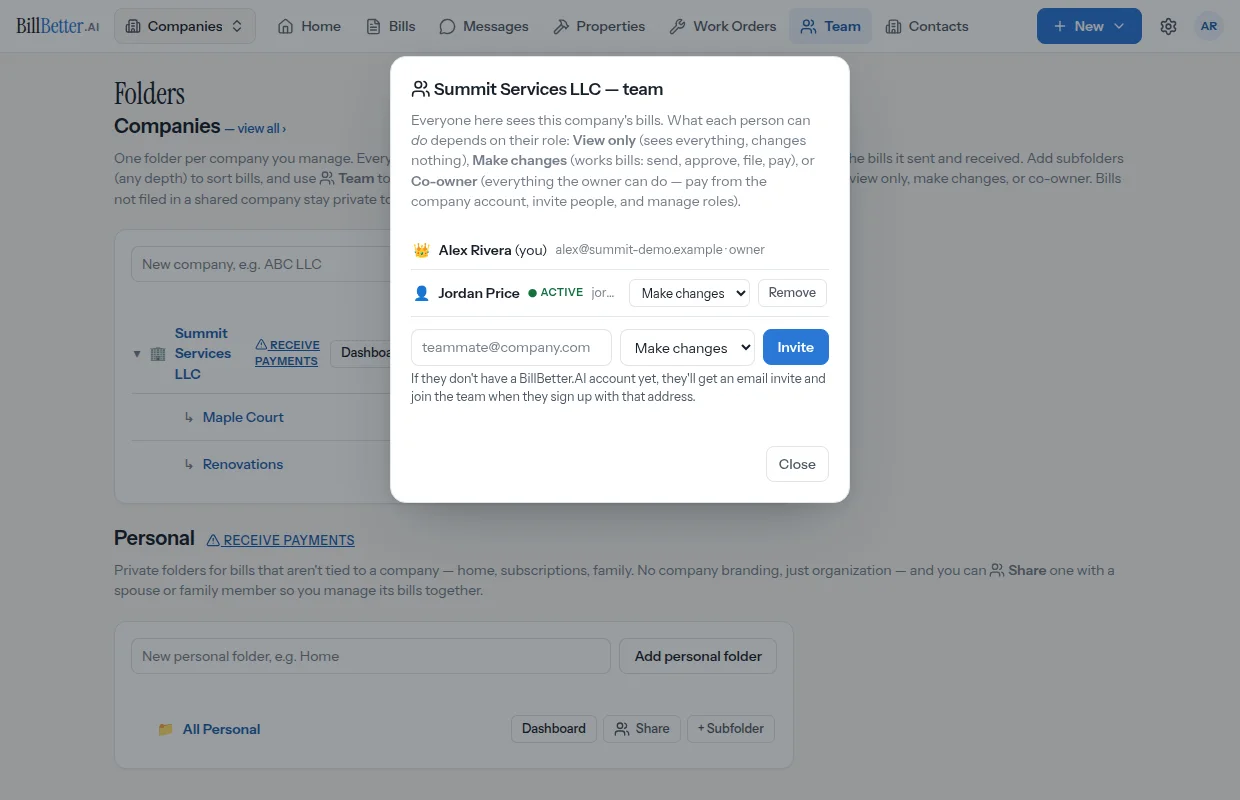
8Teams and projects
Invite teammates with roles — and give outside collaborators access to a single project folder only.
9Approvals with a paper trail
Request sign-offs, watch them come in, and route the payment to whoever should make it.
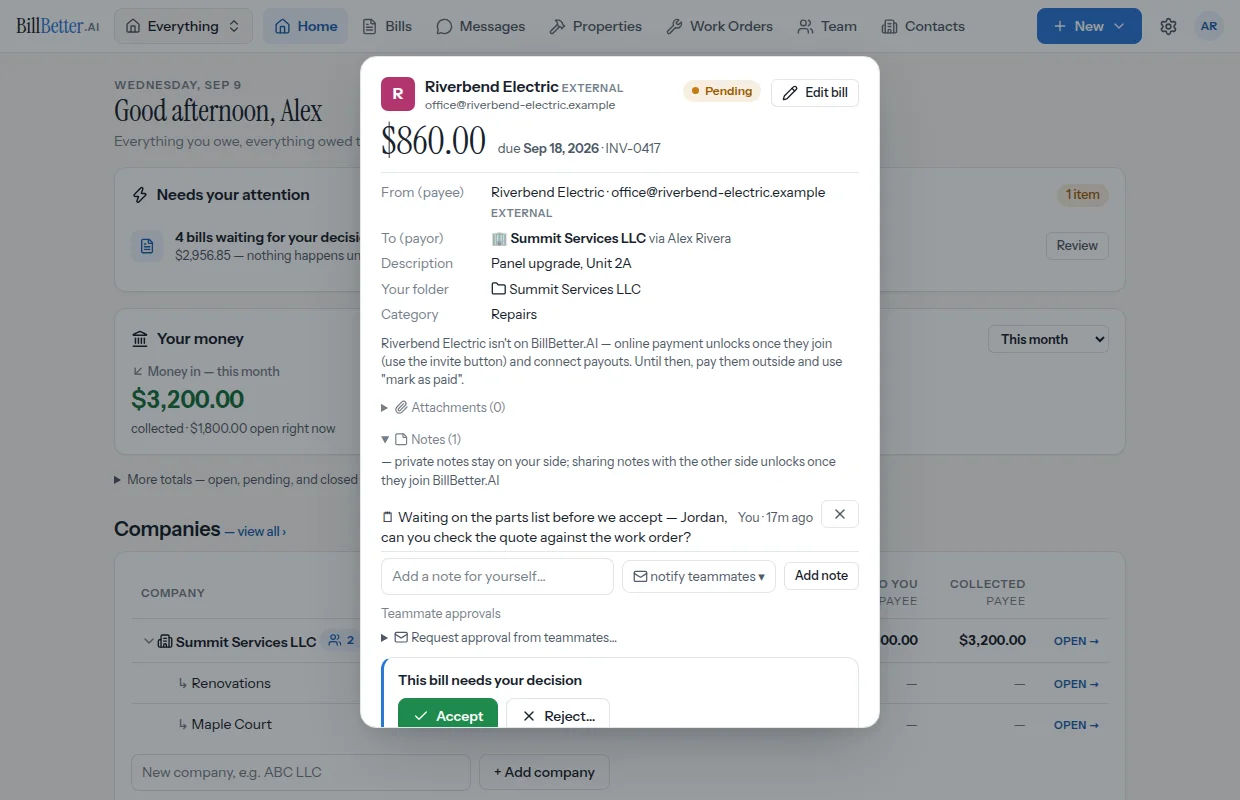
10Notes and questions
Private notes for your side, shared notes for the other party, and directed questions that email a teammate.
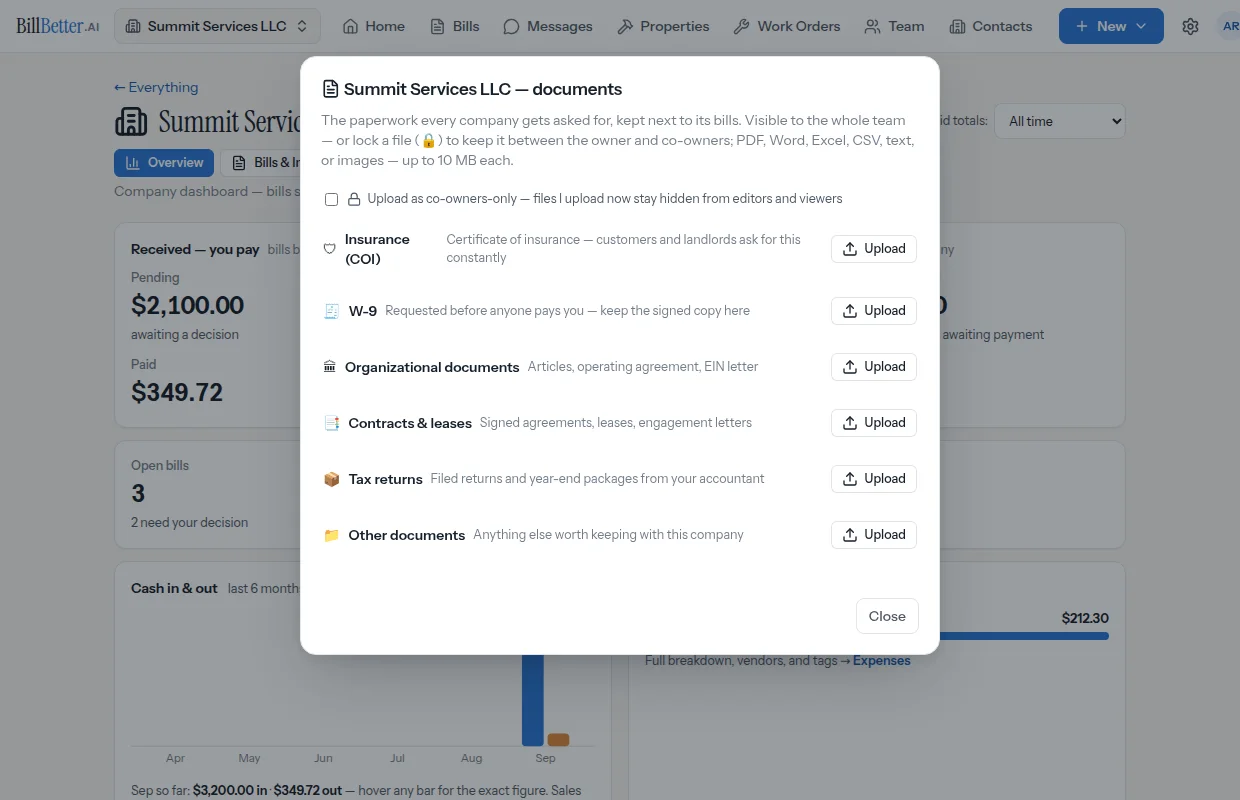
11Documents, together
COIs, W-9s, contracts, and leases — organized per company, shareable by secure link.
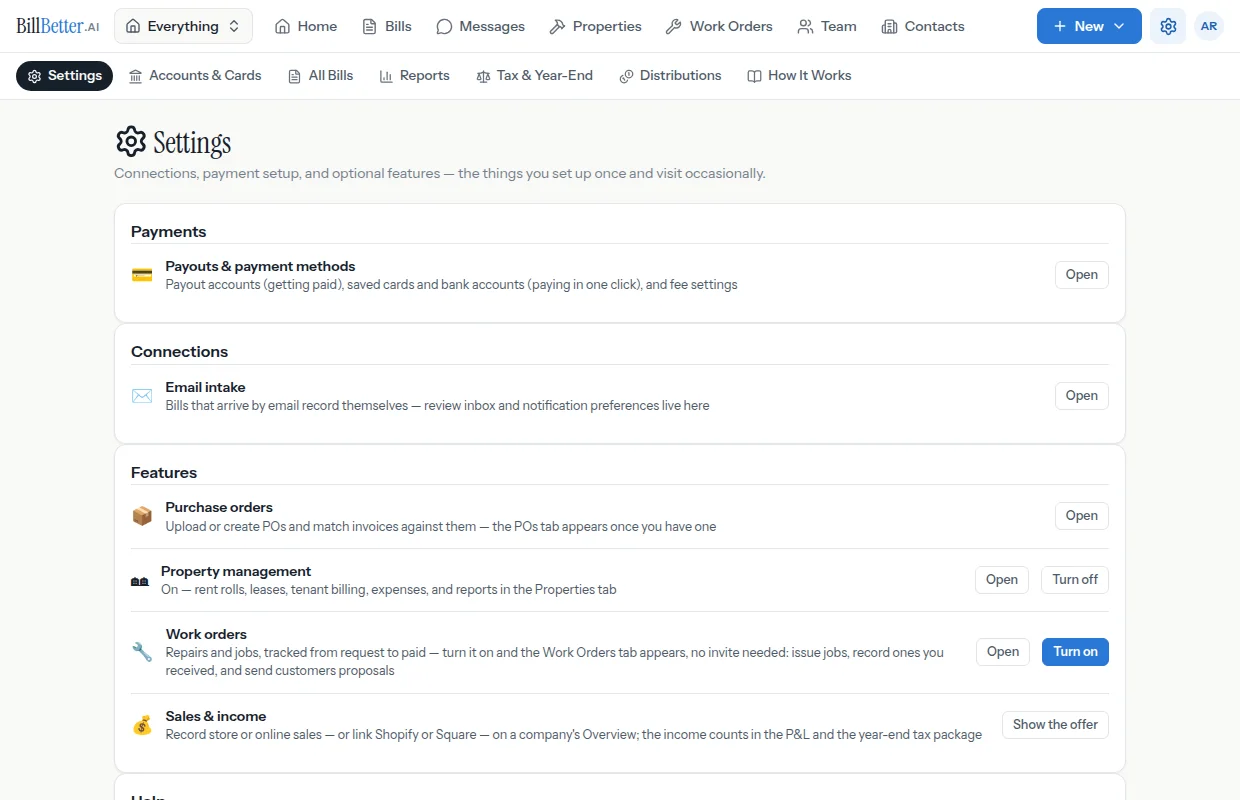
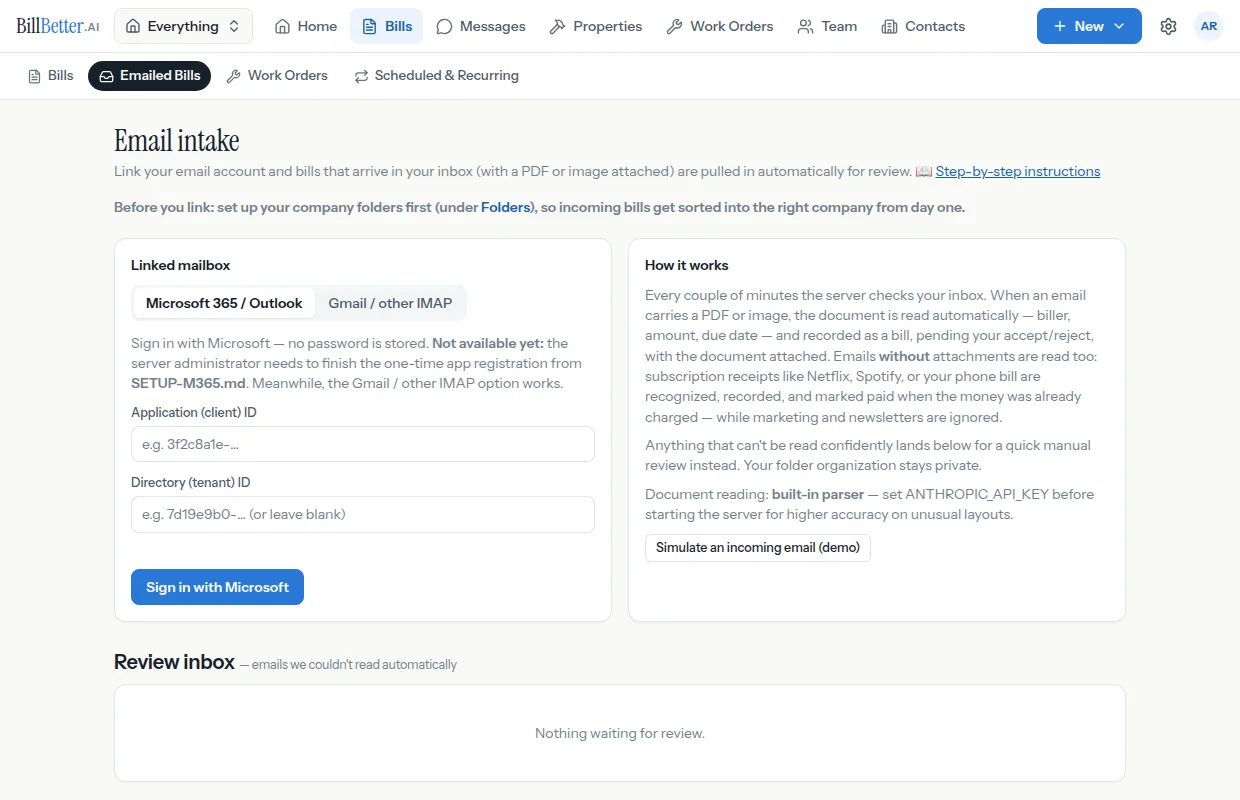
12Email intake
Link your inbox and arriving bills record themselves — anything uncertain waits in a review queue.
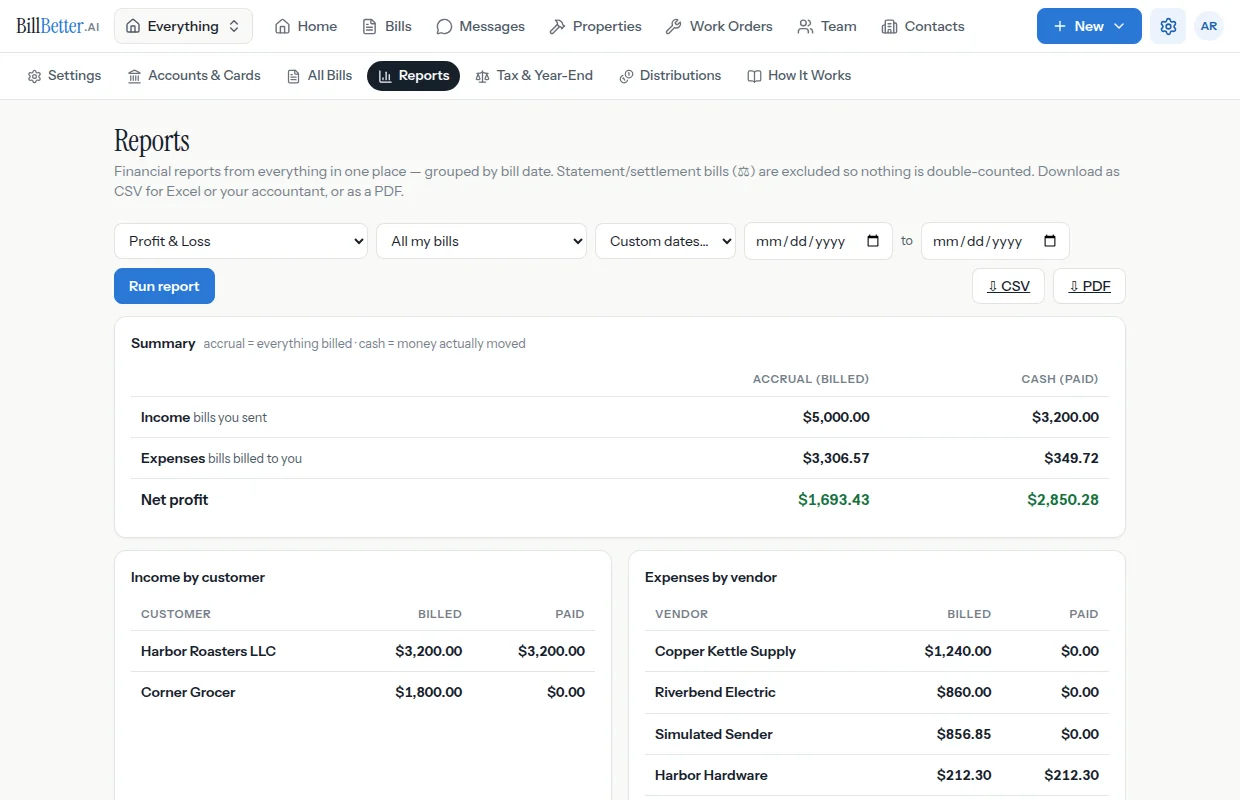
13Reports
Spending and receivables by folder, month, and counterparty — export CSV or PDF anytime.
14QuickBooks, kept current
Bills, payments, and invoices post to QuickBooks Online automatically. No double entry.